- DARB Toll Gates: Locations and Changes for 2026
- DARB Fees and Charging Hours
- Is There a Daily or Monthly Cap for DARB?
- How DARB Works for Rental Cars
- How to Register and Pay for Private and Out-of-Emirate Vehicles
- Exemptions and Fines
- DARB vs Salik
- Routes Between Dubai and Abu Dhabi
- Frequently Asked Questions
Last updated: September 2026
The DARB toll system Abu Dhabi is the electronic road toll system in Abu Dhabi. It was introduced to help reduce traffic congestion and encourage the use of public transport and alternative transportation. The system automatically records vehicles passing through DARB toll gates and applies the relevant toll according to the current rules.
The Abu Dhabi DARB toll applies to vehicles passing through active toll gates, including vehicles registered outside Abu Dhabi. For the four original DARB gates, the toll is AED 4 per crossing during the applicable peak periods: 7:00 AM to 9:00 AM and 3:00 PM to 7:00 PM, Monday through Saturday. Sundays and official public holidays are free at these gates.
DARB Toll Gates: Locations and Changes for 2026
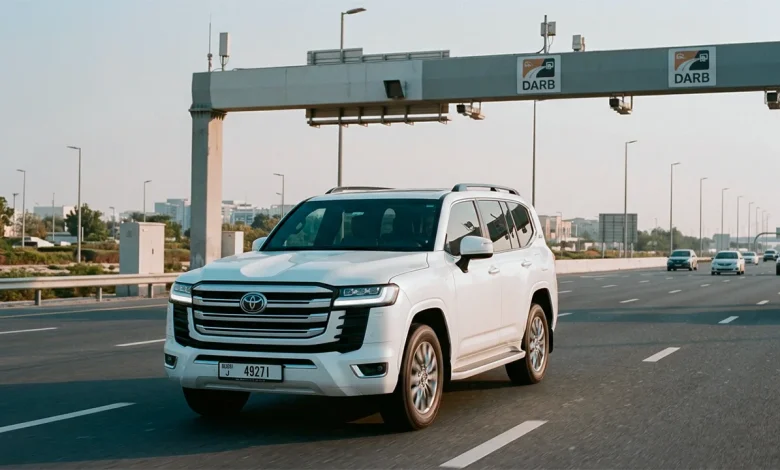
The DARB toll Abu Dhabi system originally operated through four toll gates located on major bridges leading to Abu Dhabi Island. The current four gates are:
- Al Maqta Toll Gate: Al Maqta Bridge
- Rabdan Toll Gate: Musaffah Bridge
- Sas Al Nakhl Toll Gate: Sheikh Zayed Bridge
- Al Saadiyat Toll Gate: Sheikh Khalifa Bridge
Two New DARB Toll Gates in 2026
In May 2026, two additional gates were added to the system:
- Ghantoot toll gate: Sheikh Maktoum bin Rashid Street in the Ghantoot area
- Al Qurm toll gate: Wahat Al Karama Street at the entrance and exit of Sheikh Zayed Road
The two new gates started operating on 4 May 2026 and operate 24 hours a day, seven days a week. The toll is AED 4 for each crossing.
This means that Abu Dhabi’s DARB network currently has six toll gates. Q Mobility’s current DARB information confirms the locations of all six gates.
DARB Toll Gates at a Glance
| Gate | Location | Operating/Charging Hours | Fee |
| Al Maqta Toll Gate | Al Maqta Bridge | 7:00–9:00 AM and 3:00–7:00 PM, Monday–Saturday | AED 4 |
| Rabdan Toll Gate | Musaffah Bridge | 7:00–9:00 AM and 3:00–7:00 PM, Monday–Saturday | AED 4 |
| Sas Al Nakhl Toll Gate | Sheikh Zayed Bridge | 7:00–9:00 AM and 3:00–7:00 PM, Monday–Saturday | AED 4 |
| Al Saadiyat Toll Gate | Sheikh Khalifa Bridge | 7:00–9:00 AM and 3:00–7:00 PM, Monday–Saturday | AED 4 |
| Ghantoot toll gate | Sheikh Maktoum bin Rashid Street, Ghantoot | 24 hours, 7 days a week | AED 4 |
| Al Qurm toll gate | Wahat Al Karama Street, Sheikh Zayed Road | 24 hours, 7 days a week | AED 4 |
For the four original gates, no toll is deducted on Sundays or official public holidays. The newer Ghantoot and Al Qurm gates operate continuously, so drivers should treat them differently when planning a journey.
DARB Fees and Charging Hours
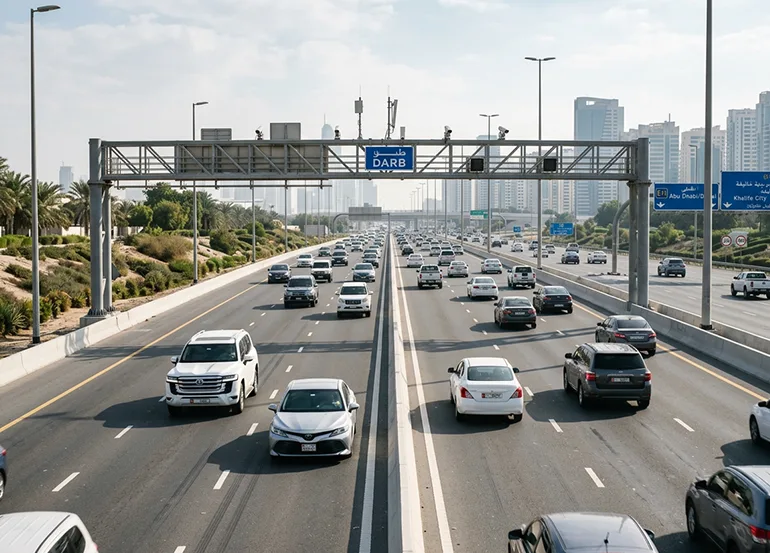
The current DARB toll gate fees are straightforward, but the charging schedules differ between the original four gates and the two gates added in 2026.
Original four DARB gates
The four original gates charge:
- AED 4 per crossing
- 7:00 AM–9:00 AM
- 3:00 PM–7:00 PM
- Monday through Saturday
- No toll on Sundays or official public holidays
There is no charge when you pass through these four gates outside the applicable peak periods. The current evening period of 3:00 PM to 7:00 PM has applied since 1 September 2025.
Ghantoot and Al Qurm
The Ghantoot toll gate and Al Qurm toll gate operate 24 hours a day, seven days a week. Each crossing is charged at AED 4.
So, if your journey only takes you through one of the original gates outside its charging periods, there is no DARB toll for that crossing.
Each chargeable crossing is counted separately. Therefore, if your route takes you through several chargeable gates, the relevant fee can be applied to each crossing.
Is There a Daily or Monthly Cap for DARB?
No. The previous daily and monthly DARB caps have been removed.
Before 1 September 2025, private vehicles had a daily cap of AED 16 and monthly caps that varied according to the number of vehicles. These limits were removed as part of the amendments to Abu Dhabi’s road toll regulations.
This means there is currently no daily or monthly maximum cap for chargeable toll transactions. Each applicable crossing is charged according to the current DARB rules.
How DARB Works for Rental Cars
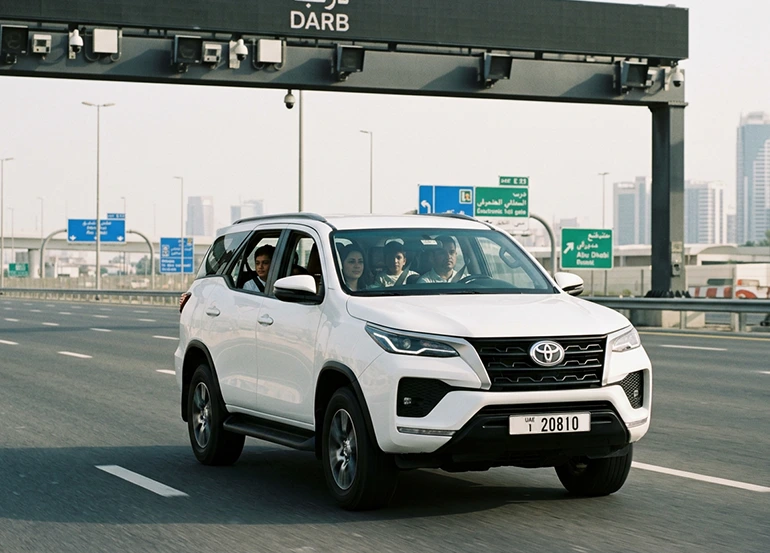
For rental cars, the rental company owns the vehicle, so you should not automatically register it under your own DARB account. First, check with the rental company to confirm how the vehicle and tolls are handled.
In general:
- The rental company manages the vehicle’s DARB registration.
- DARB records the toll when the car passes through a chargeable gate.
- The rental company may later charge the renter according to the rental agreement.
- Any administration or processing fee depends on the rental company’s terms.
You may receive the toll charge during or after your rental rather than immediately after passing through the gate.
If you are planning to rent a vehicle, our guide to car rental in Abu Dhabi can help you understand the rental process and choose the right option.
Ask About DARB and Salik Before Renting

I once picked up a car without asking the rental company how the DARB and Salik taxes were calculated and paid. After the trip, I was faced with unexpected charges and realized that some of the taxes were being charged separately later.
That’s why I recommend asking the rental company these questions before you pick up your car:
- Is the vehicle already registered with DARB?
- How will DARB tolls be charged?
- Is there an administration fee?
- When will the charges appear?
- Is the car also registered for Salik?
This is especially important if you plan to drive between Dubai and Abu Dhabi.
How to Register and Pay for Private and Out-of-Emirate Vehicles
DARB registration is required for vehicles registered in Abu Dhabi and other emirates when they use the DARB system. Toll fees are automatically deducted from the vehicle’s linked financial wallet when it passes through a chargeable gate.
DARB Registration Steps
You can register through the official DARB platform or app:
- Create or access your DARB account.
- Enter your vehicle and traffic information.
- Select the vehicle’s registration emirate.
- Register the vehicle and link the financial wallet.
- Add sufficient balance for toll charges.
DARB Registration Fee
The current registration cost is AED 100 per vehicle:
- AED 50 registration fee
- AED 50 added to your financial wallet for toll payments
For vehicles registered outside Abu Dhabi, applicable tolls are automatically deducted from the linked wallet, so make sure it has enough balance.
Use Official DARB Channels
Use the official DARB platform or app for registration and payments. Avoid payment links sent through unsolicited SMS, WhatsApp messages, or emails.
Exemptions and Fines
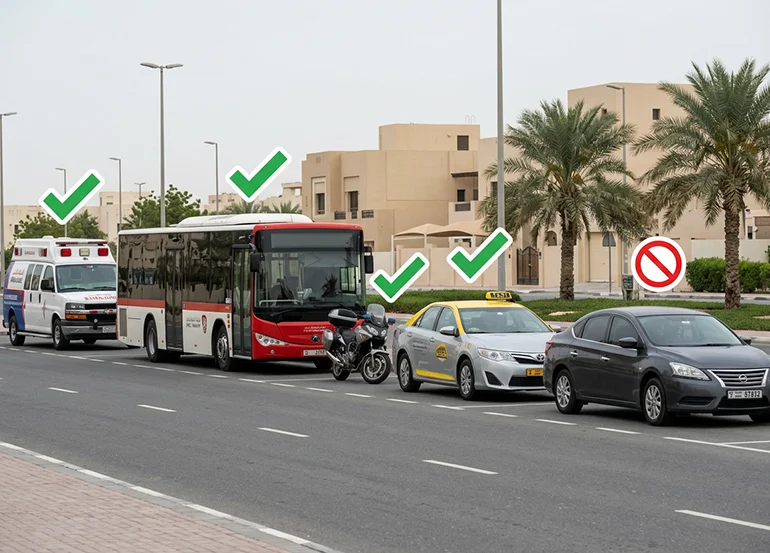
Some vehicles are automatically exempt from DARB tolls, while certain eligible individuals can request an exemption for one vehicle.
Automatically exempt vehicles include:
- Ambulances, armed forces and civil defence vehicles displaying the required numbers and logos
- Public transport buses
- Motorcycles
- Authorised public taxis in Abu Dhabi
- Authorised school buses
- Passenger buses with a capacity of 26 passengers or more
- Vehicles displaying Abu Dhabi Police identification
- Vehicles belonging to the Ministry of Interior or other local police forces
- Trailer vehicles
Certain categories can also request an exemption for one vehicle, including:
- People of Determination
- Low-income families
- Senior citizens
- Retired citizens
These categories and exemption conditions are listed by Abu Dhabi Mobility.
Current DARB Fines
If an unregistered vehicle passes through a DARB gate, you have 10 working days from the date of passage to complete registration. After this period:
- AED 100 for the first violation
- AED 200 for the second violation
- AED 400 for the third and subsequent violations
Insufficient Wallet Balance
For vehicles registered outside Abu Dhabi, an insufficient-balance fine of AED 50 per transaction may apply if the wallet remains underfunded after the 5-working-day grace period.
Other DARB Violations
More serious violations can result in:
- AED 10,000 for manipulating a licence plate to evade toll fees
- AED 10,000 for damaging electronic payment equipment or toll gates
The total cumulative fines for one vehicle cannot exceed AED 25,000 within one year from the date of the first violation.
DARB vs Salik
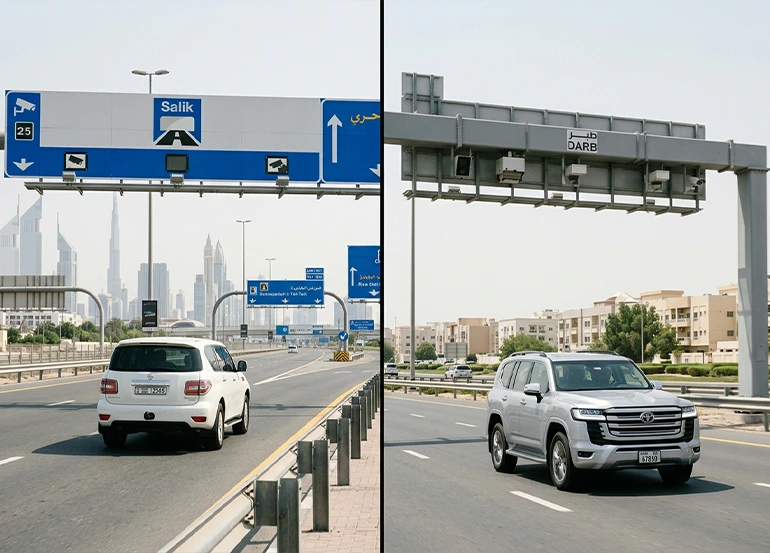
Many drivers travelling between Dubai and Abu Dhabi use both systems, but DARB and Salik charges in Dubai are separate toll systems operated in different emirates.
| Feature | DARB | Salik |
| Emirate | Abu Dhabi | Dubai |
| Number of toll gates | 6 | 10 |
| Technology | Automatic vehicle identification | RFID tag and automatic vehicle identification |
| Current toll | AED 4 per applicable crossing | Variable pricing |
| Charging schedule | Depends on the DARB gate | Depends on the time, day and gate rules |
| Registration/payment | DARB account and wallet | Salik account and tag |
| Rental cars | Check the rental company’s DARB procedure | Check the rental company’s Salik procedure |
| Main point for drivers | Abu Dhabi toll rules apply when passing DARB gates | Dubai toll rules apply when passing Salik gates |
For a rental driver, the simplest way to think about it is: DARB is Abu Dhabi’s toll system, while Salik is Dubai’s toll system. A trip between the two emirates can involve both.
For a more detailed comparison focused specifically on rental drivers, see our guide to Salik vs DARB for rental drivers.
Routes Between Dubai and Abu Dhabi
If you are planning a Dubai-to-Abu Dhabi journey, it is useful to check your route beforehand, as the road you choose can determine whether you pass through one or more DARB gates.
- Watch for the Ghantoot gate: Located on Sheikh Maktoum bin Rashid Street in the Ghantoot area, it is particularly relevant for drivers travelling between the two emirates.
- Driving a rental car? Check with the rental company before your trip to confirm how DARB and Salik tolls are handled.
This information is intended to help you understand potential toll charges and plan your journey, not to avoid toll payments.
You may also find our guide to driving rules in Dubai useful when planning a trip between the two emirates.
Frequently Asked Questions
1. Do rental cars have to pay DARB tolls?
Yes. A rental car can be charged when it passes through a chargeable DARB gate. The rental company’s procedure determines how the toll is subsequently passed on to the renter, so check your rental agreement.
2. Are Dubai-registered cars subject to DARB?
Yes. Vehicles registered outside Abu Dhabi can use the DARB system, and applicable tolls are collected when they pass through DARB gates.
3. Are DARB tolls charged on Sundays?
The four original DARB gates do not charge on Sundays or official public holidays. The Ghantoot and Al Qurm gates operate 24 hours a day, seven days a week.
4. Are the new DARB gates always open?
Yes. Ghantoot and Al Qurm operate 24 hours a day, seven days a week.
5. How much does it cost to pass through DARB?
The current DARB toll is AED 4 per chargeable crossing. The charging schedule depends on the gate.
6. Do I need to register a rental car myself?
Not necessarily. Because the rental company owns the vehicle, first ask the rental company how the vehicle is registered and how DARB charges are handled.
7. How can I pay DARB?
DARB users can manage their account and wallet through the official DARB platform and application. Vehicles registered outside Abu Dhabi have their applicable toll fees deducted automatically from the linked financial wallet.
8. What happens if I don’t pay the DARB toll?
For an unregistered vehicle, there is a 10-working-day registration grace period. After that, fines can start at AED 100 and increase according to the number of violations. An insufficient-balance fine can also apply to vehicles registered outside Abu Dhabi after the relevant five-working-day grace period.
9. Is DARB the same as Dubai Salik?
No. DARB and Salik are separate toll systems. DARB operates in Abu Dhabi, while Salik operates in Dubai.
10. How can I spot a fake DARB message?
Do not enter your bank card or personal payment information through an unsolicited SMS, WhatsApp message or email. If you receive a message claiming that you owe DARB fees, check your account through the official DARB platform or application instead of using the payment link in the message.